Internal PC Storage Types Break Down by “Medium,” “Connection,” and “Size”
Internal storage for PCs can be broadly grouped by:
- Storage medium
- Connection type
- Physical size
Is the storage medium magnetic disk or memory?
Storage media fall into two main categories: “HDDs,” which use traditional magnetic disks, and “SSDs,” which use memory chips.
There is also a type of SSD called “eMMC,” which uses slower memory and can perform only about the same as an HDD. However, eMMC is mainly used as onboard storage soldered directly to the motherboard, so it’s excluded here.
Key characteristics are as follows:
| Item | HDD | SSD |
|---|---|---|
| Medium | Magnetic disk | Memory |
| Capacity | Large | Typical |
| Speed | Slow | Fast |
| Power consumption | Higher | Lower |
| Heat | More | Less |
Connection type: “SATA” or “NVMe”
Internal PC storage is used by connecting it to the motherboard. The connector/interface standard used for that connection effectively defines the storage type.
Today, the two main connection standards are SATA and NVMe. SATA is used for both HDDs and SSDs, while NVMe is used only for slim SSDs.
Some small PCs (such as certain Intel NUC models) may also have an mSATA connector that looks similar to NVMe, but most PCs and motherboards have largely shifted to the faster NVMe standard.
| Item | HDD | SSD |
|---|---|---|
| SATA | Yes | Yes |
| NVMe | No | Yes |
| mSATA | No | Yes |
In the past, connection standards such as IDE and SCSI (pronounced “scuzzy”) existed, but they’re rarely used today.
Physical size of internal storage
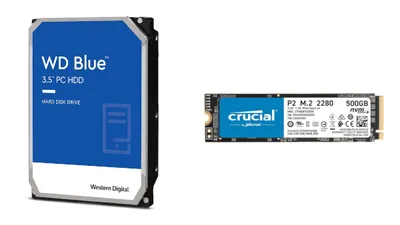
For HDDs and SATA SSDs, common size standards include “3.5-inch,” “2.5-inch,” and “1.8-inch.”
3.5-inch is used for HDDs, and 2.5-inch exists for both HDDs and SSDs. 1.8-inch HDDs were once used in small laptops, but have largely been replaced by SSDs.
Slim NVMe drives use a different sizing system, where the physical dimensions of the module define the size. For example, “NVMe type 2280” means an NVMe module that is 22mm × 80mm.
Today, NVMe type 2280 is the most commonly used.
| Item | HDD | SSD |
|---|---|---|
| 3.5-inch | Yes | No |
| 2.5-inch | Yes | Yes |
| 1.6-inch | Yes | No |
| type 2280 | No | Yes |
| type 2260 | No | Yes |
| type 2240 | No | Yes |
How to Check Which Storage Your PC Supports
Unlike memory, the key point to check for internal storage compatibility is just the “connection type.” If the connection is supported, either an HDD or an SSD can be connected.
Since some PCs can connect multiple drives, the most reliable way to confirm supported internal storage connection types is to check the official specifications on the PC or motherboard manufacturer’s website.
If disassembly and motherboard knowledge are available, opening the PC and checking directly is also an option.
How to Choose Internal Storage Correctly
Use an SSD for the OS, and an HDD for long-term storage
The cost per GB changes significantly depending on whether internal storage is an HDD or an SSD.
As of 2020, HDDs cost about 2 yen per GB (about 4TB for 8,000 yen), while SSDs cost 10 yen or more per GB (about 500GB for around 7,000 yen), a price difference of nearly 5×.
If the drive will be used to install the OS, an SSD is recommended because faster performance directly improves the overall feel of the system. Since it’s mainly for the OS and apps, even 256GB is usually enough.
On the other hand, for storing large amounts of data such as videos or lots of photos, an HDD is often the better choice because SSDs are less cost-effective.
However, for workloads like video editing or RAW photo processing—where “large files are processed inside applications”—an HDD can become a performance bottleneck, so choosing an SSD is the safer option even if it costs more.
Watch out for fake SSDs
Compared to HDDs, which are harder to counterfeit due to their complex structure, SSDs can be easier to fake because they’re essentially memory chips on a board, so counterfeit products are more common.
Buying official products from major makers like Western Digital or Transcend is generally safe, but lesser-known brands (often low-cost imports) may include capacity-fake products, so caution is needed.
Trusted SSD brands commonly distributed in Japan include:
- Crucial
- SanDisk
- Western Digital
- CFD
- ADATA
- Samsung
- Transcend
- Intel
- Silicon Power
- Kingston
If buying genuine products from these brands, scams are extremely unlikely. When purchasing on marketplaces like Amazon or Rakuten, it’s generally safe if the seller is Amazon, the manufacturer’s official store, or a major PC retailer such as Sofmap. If problems occur, the manufacturer or distributor will usually provide proper support, which adds peace of mind.
Some PCs can’t be upgraded
Especially with laptops, some models have internal storage mounted directly to the motherboard. Apple’s latest MacBook lineup falls into this category.
On these PCs, internal storage can’t be swapped or upgraded by the user, so add storage capacity using options like a USB flash drive.