If Fast Game Launch Times Matter, Choose an SSD; For Value, Choose an HDD
For PC games, unlike everyday apps such as browsers or spreadsheets, many titles tend to fall into the pattern of “once the game has launched, storage load speed doesn’t matter as much.”
However, game launch times can show a clear difference: a game that starts in about 10 seconds on an SSD may take about a minute to start from an HDD. For anyone who wants to “launch it quickly and start playing right away,” an SSD is the only real choice.
SSDs come in “SATA” models and “NVMe” models, but when it comes to game launch speed, the difference may only be a few seconds. Recently, NVMe SSD prices have dropped and the gap versus SATA models has narrowed, but even on a PC that only supports SATA, an SSD still won’t feel that slow.
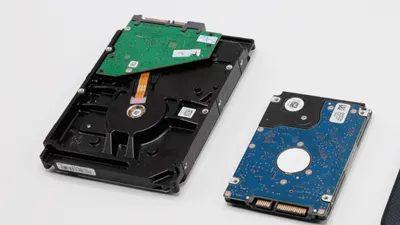
On the other hand, the biggest advantage of an HDD is the price. A 2.5-inch SSD costs about $74–$93 for 500GB, while a 3.5-inch HDD costs about $46–$56 for 2TB, and a 2.5-inch HDD costs about $56–$65 for 2TB—making HDDs far more cost-effective.
With 2TB, it’s unlikely storage will fill up unless usage is extreme, so it offers peace of mind in terms of capacity.
How Much Storage Does a Gaming PC Need?
It depends on what games are installed, but for PC games that make heavy use of 3D graphics, it’s safer to assume “about 20–30GB” per title.
Checking the Required Storage for Steam’s Top 10 Popular Games…
Below is a summary of the required free storage space for top-selling Steam games as of June 2020:
| Title | Required free storage |
|---|---|
| DARK SOULS™ III | 25GB |
| Persona 4 Golden | 14GB |
| CODE VEIN | 35GB |
| Tales of Vesperia: Definitive Edition | 25GB |
| The Elder Scrolls V: Skyrim Special Edition | 12GB |
| ATRI -My Dear Moments- | 4GB |
| Titanfall® 2 | 45GB |
| GOD EATER 3 | 25GB |
| TEKKEN 7 | 60GB |
| Shadow Tactics: Blades of the Shogun | 13GB |
Reference: Top Sellers | Steam
The result ranged from a maximum of 60GB for “TEKKEN 7” to a minimum of 4GB for “ATRI -My Dear Moments-.”
Out of 10 titles, 6 required 20GB or more, which suggests game sizes skew on the larger side.
Storage Capacity vs. Number of Installable Games
Next, here’s a summary of how many titles can be installed at each storage capacity, assuming 40GB is reserved for the OS and recovery.
| Capacity | Avg size (10GB) | Avg size (20GB) | Avg size (30GB) | Avg size (40GB) |
|---|---|---|---|---|
| 128GB | 8 | 4 | 2 | 2 |
| 256GB | 20 | 10 | 6 | 5 |
| 500GB | 46 | 23 | 15 | 11 |
| 1TB | 96 | 48 | 32 | 24 |
| 2TB | 196 | 98 | 65 | 49 |
1TB Is Enough; 128GB Is Tough
As shown in the table above, with 1TB of storage, even larger games (30–40GB) can be installed at 20+ titles, so it’s a solid capacity choice. At 1TB, SSDs can be found in the low $100 range, and sometimes under about $93 during sales, making them relatively accessible.
On the other hand, the “128GB storage” often seen in recent laptops can be a bit limiting for gaming PC use.
For Windows, it’s common for the OS and recovery partitions alone to use around 40GB, so with 128GB, the space a user can freely use is effectively about 80GB.
For example, the popular battle royale game Fortnite on PC has an installer of only about 40MB, but the game itself takes about 40GB, so on a 128GB drive, after installing Fortnite, only one more game of similar size can be installed.
Of course, for those who are fine with “deleting and reinstalling as needed,” this may not be a problem.
Gaming PC storage and required capacity have been covered.
For long-term, frequent use, an SSD with 1TB offers a good balance, and if the internal drive is 128GB, upgrading to at least 500GB is ideal.
If keeping costs as low as possible is the priority, an HDD is also an option.
If the gaming PC allows storage upgrades, one approach is to start with the default capacity and add more later.