Intel NUC Model Naming Rules
From the 1st through 4th generation, Intel NUC model names start with “D,” so if a model name begins with D, it can be identified as “a pre–4th Gen model.”
Starting with 5th Gen, Intel NUC models always begin with “NUC.”
For example:
NUC5i7RYH
For Intel NUC (5th Gen and later), model names generally follow this structure:
- NUC (product name)
- 5 (generation)
- i7 (CPU tier)
- RYH (feature / chassis designation)
In practice, it’s usually enough to remember how to read the “generation” and “CPU tier.”
Common CPU tier markings include:
| Marking | CPU tier |
|---|---|
| i3 | Core i3 |
| i5 | Core i5 |
| i7 | Core i7 |
| i9 | Core i9 |
| v5 | Core i5 |
| v7 | Core i7 |
| V7 | Core i7 |
| X | Xeon |
| C | Celeron |
| P | Pentium |
Note that some models use “v” instead of the “i” in Core i.
Also, within the NUC lineup, “C (Celeron)” and “P (Pentium)” are budget CPU options, so performance is lower. However, their TDP can be under 10W—and in some cases as low as 6W—so for always-on PCs that don’t need much compute power (such as an always-on machine or a media server), choosing one of these on purpose can make sense.
As for expansion features, these are generally common:
- USB 3.0 (Gen 1–3 used USB 2.0)
- Gigabit Ethernet
- HDMI
The main differences are usually display output options (such as mini DisplayPort or Thunderbolt 3 support). If specific display expandability matters, it’s often easier to check the product box or in-store signage rather than trying to memorize model codes.
How to Check the Maximum Supported Memory by Model
Ideally, maximum supported memory should be confirmed using the spec sheet, but as a rough rule of thumb, it helps to remember the following table:
| Marking (rough guideline) | Typical max memory guideline |
|---|---|
| Older Intel NUC (some DDR3/DDR3L-era models) | Up to 16GB |
| Intel NUC 11 and similar (many models with 2× DDR4 SO-DIMM) | Up to 64GB |
| ASUS NUC 14 Pro / 14 Pro+ (2× DDR5 SO-DIMM) | Up to 96GB (48GB × 2) |
| ASUS NUC 15 Pro / 15 Pro+ (2× DDR5 SO-DIMM) | Up to 96GB (48GB × 2) |
Celeron/Pentium-based NUCs (models with C/P in the model code) are not the core of the new retail lineup as of 2025, and are generally seen in the used/older-model market as “power-efficient, budget-oriented configurations.”
In recent years, NUC models (including ASUS NUC) have become more polarized in memory design. Upgradable models (for example, ASUS NUC 14 Pro / NUC 15 Pro) use 2× DDR5 SO-DIMM and clearly state support up to 96GB (48GB × 2).
On the other hand, thin-and-light, AI-focused models (for example, ASUS NUC 14 Pro AI) use built-in LPDDR5x (effectively onboard memory), which means the capacity chosen at purchase (such as 16GB/32GB) is not intended to be upgradeable later.
In 2025, as 48GB SO-DIMMs become more common, the old assumption that “64GB is the max” is starting to feel outdated. Still, SO-DIMMs tend to be more expensive than desktop DIMMs.
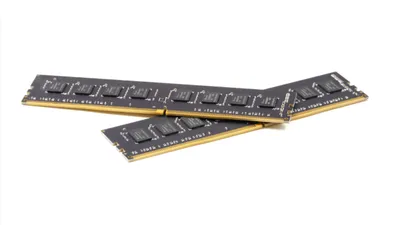
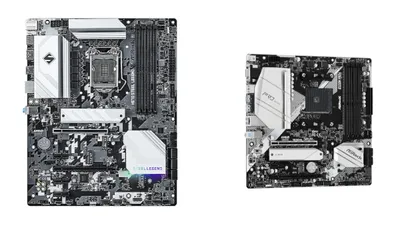
If large memory capacity is essential, it’s less regret-prone to decide based on total cost (unit price + memory + storage), choosing either: (1) a NUC that can be upgraded up to 96GB (2× DDR5 SO-DIMM), or (2) a microATX/ITX custom build that uses DIMMs.
Current Trends
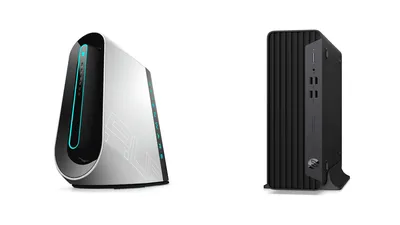
Intel NUC used to be a category supported by “custom PC users who love small form factors,” but as the PC market polarized into “energy efficiency = ARM-based” and “power = full-tower custom PCs,” Intel is no longer releasing new NUC models. The last model Intel released was the “NUC 13 Pro (Arena Canyon),” which launched around March 2023.
Today, this segment has seen increased competition from China-based manufacturers, with budget mini PCs sold as complete systems using chips like the N200 or N100.
Minisforum in particular has been gaining attention by quickly bringing the latest AMD/Intel mobile CPUs into mini PCs, and by adding expandability such as USB4 and OCuLink—building a stronger presence in the market that Intel NUC originally established.
This guide covered how to identify Intel NUC models and generations.
Once learned, it’s surprisingly straightforward—use it as a reference when comparing Intel NUC options in stores or online.