A PC Can Actually Use a Surprising Amount of Electricity
Most people don’t think about electricity costs while working on a PC, but using one for long hours can add up. For example, someone who previously worked in an office may see a higher home electricity bill after switching to remote work—and in some cases, the PC is the reason.
How to Estimate a PC’s Electricity Cost
Find the PC’s maximum power draw
For laptops, check the rated capacity printed on the AC adapter.
If it lists watts, that wattage is the maximum power draw. If it doesn’t list watts, multiply the volts and amps shown under “OUTPUT” to get watts.
For example, if it says “OUTPUT 15.0V: 2.6mAh,” then the adapter’s maximum output is 39 watts.
For desktop PCs, the power supply is built into the case, so the rating can be harder to identify. For a prebuilt PC, check the manufacturer’s spec page; for a custom-built PC, check the power supply unit (PSU) specifications.
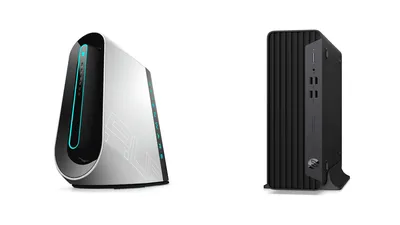
For desktops, a small-form-factor model may be around 120W, while some gaming PCs use an 800W-class PSU.
Once the PSU’s maximum wattage is known, the next step is estimating how much power the PC actually uses. Using a watt meter is best, but if buying one is a hassle, it’s reasonable to calculate using “about 60% of the maximum output on average.”
If the system is under sustained heavy load—such as gaming for several hours every day—using “about 80% of the maximum output on average” may also make sense.
Check usage hours and the per-hour electricity rate
A PC’s electricity cost is determined by “usage hours × power consumption × electricity price per kWh.”
Usage hours vary depending on how the PC is used, for example:
- About 30 hours if it’s used for about 1 hour every day
- Gaming at night: 3 hours × 30 days = about 100 hours
- Remote work: 8 hours × 22 days = 172 hours
- A server left on 24/7 for a full month: about 730 hours
The electricity price per kWh depends on the plan. Also, since the rate often increases in tiers such as:
- Up to 120 kWh
- Over 120 kWh up to 300 kWh
- Over 300 kWh
…it can vary by household.
Still, calculating with “about $0.28 per kWh” is usually good enough.
Example calculations
Now, here are some sample calculations.
The four patterns above—“about 1 hour every day,” “gaming at night,” “remote work,” and “server”—are compared below. The electricity price is set slightly high at about $0.28 per kWh, and the PC’s power consumption is assumed to average about 60% of its maximum capacity. For reference, Apple’s Mac Pro, which can draw up to 900W, is included as well.
| PC type | About 1 hour/day | Gaming at night | Remote work | Server |
|---|---|---|---|---|
| Laptop (50W) | about $0 | about $1 | about $1 | about $6 |
| Gaming laptop (150W) | about $1 | about $3 | about $4 | about $18 |
| Desktop (400W) | about $2 | about $7 | about $12 | about $49 |
| Gaming desktop PC (600W) | about $3 | about $10 | about $17 | about $73 |
| Mac Pro (900W) | about $5 | about $15 | about $26 | about $110 |
For laptops, the cost is basically negligible, but with desktops and gaming desktops, it can become significant if used for remote work.
Converting the same estimates to a yearly total gives the following:
| PC type | About 1 hour/day | Gaming at night | Remote work | Server |
|---|---|---|---|---|
| Laptop (50W) | about $3 | about $10 | about $17 | about $73 |
| Gaming laptop (150W) | about $9 | about $30 | about $52 | about $220 |
| Desktop (400W) | about $24 | about $80 | about $138 | about $586 |
| Gaming desktop PC (600W) | about $36 | about $120 | about $207 | about $879 |
| Mac Pro (900W) | about $54 | about $181 | about $311 | about $1,318 |
Using a desktop PC for remote work is estimated to cost more than about $93 per year in electricity. Gaming every night can also exceed about $93 per year if it’s a gaming desktop PC.
From a gaming perspective, there’s a gap of nearly about $74 compared to a gaming laptop, so if performance isn’t the top priority, a gaming laptop can be cheaper to run.
As for the Mac Pro, in just two years, the electricity cost alone can be high enough to buy a modest PC.
The relationship between PCs and electricity costs has been covered.
In some cases—like laptops—even yearly differences may feel minor, while in others—like desktop PCs and gaming PCs—the yearly total can become substantial.
Many people may switch from a laptop to a desktop for remote work, but unlike in an office, home electricity is paid out of pocket. When buying a new PC for remote work, it’s worth keeping the electricity cost in mind as well.