Motherboard Terminology
Three key technical terms to know for motherboards are:
- Form factor (the standardized size)
- CPU socket (the CPU compatibility standard)
- Chipset (the type of control chip used on the motherboard)
“Form Factor”: The Size Standard
PC motherboards vary in size depending on the model and manufacturer. For example, Apple motherboards are not based on common, off-the-shelf standards—they’re proprietary designs and are often known for being cleanly laid out and visually elegant.
On the other hand, for custom PCs where parts from different brands are mixed and matched, shared standards are necessary for compatibility. This is where the motherboard “form factor (standard)” comes in. It helps to remember: “form factor = motherboard size.”
Common motherboard form factors include:
- ATX (305mm × 244mm)
- Micro ATX / mATX (244mm × 244mm)
- Mini-ITX (170mm × 170mm)
- Nano-ITX (120mm × 120mm)
In general, tower PC cases often use ATX or Micro ATX, but recently, compact yet high-performance custom PCs have become popular, so many manufacturers now release products in the smaller Mini-ITX standard as well.
“CPU Socket”: The CPU Compatibility Standard
The part on the motherboard where the CPU is installed is called the CPU socket. CPU sockets have version-specific standards, and parts won’t fit unless they’re compatible.
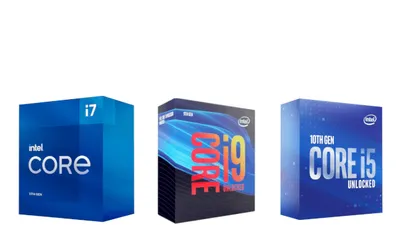
For example, Intel’s CPU socket for its latest 10th Gen CPUs is “LGA1200,” and it supports only Intel 10th Gen CPUs. Even if a motherboard is “new,” it can’t take an AMD CPU, and even within Intel, it can’t take a 9th Gen CPU.
On the other hand, AMD’s main CPU socket has been “AM4” since 2017 (with some exceptions like sTR4 and FM2+). Because of this, AMD is often said to be strong in terms of “buy one motherboard and use it for a long time.”
Since it’s not necessary to “replace the motherboard every time a new CPU comes out,” as is often the case with Intel motherboards, AMD is sometimes considered a better fit for custom PCs where parts are mixed and matched.
Because each motherboard supports only certain CPUs, it’s important to decide “which CPU will be used” before choosing a motherboard.
The “Chipset” That Controls the Motherboard
For those less familiar with building PCs, the most confusing part is often the “chipset.” Chipsets are labeled using a four-character format like “X570,” using “a letter + numbers.”
The first letter represents the chipset tier. The following three digits represent the “chipset generation (hundreds digit) and tier (tens digit).” A larger hundreds digit generally means a newer generation, and a larger tens digit generally means higher performance.
Depending on the chipset tier, features such as overclocking support and the number of SATA ports and PCIe lanes can differ.
How to Read Intel Chipset Names
For Intel chipsets, the first letter indicates the tier:
- Z (high-end / overclocking)
- B (mid-range)
- H (mid-range / low-end)
The generation is indicated by the numbers, for example:
- Intel 400 series (Z490, B460, etc.)
- Intel 300 series (Z390, B360, etc.)
- Intel 200 series (Z270, B250, etc.)
- Intel 100 series (Z170, B150, etc.)
How to Read AMD Chipset Names
For AMD chipsets, the first letter indicates the tier:
- X (high-end / overclocking)
- B (mid-range)
- A (low-end)
The generation is indicated by the numbers, for example:
- AMD 500 series (X570, B550, etc.)
- AMD 400 series (X470, B450, etc.)
- AMD 400 series (X370, B350, etc.)
Motherboard standards, types, sizes, and tiers have been covered.
In most cases, as long as the standard (size) and CPU socket are compatible, things will work fine. But for those building a more specialized custom PC—such as overclocking or running multiple dGPUs—it’s worth checking the chipset tier as well.