Benefits of Using a Laptop as a Desktop
A laptop can be turned into a desktop setup, but not the other way around
A laptop can be used like a desktop simply by adding an external monitor, keyboard, and mouse.
Recently, more manufacturers have started offering dedicated docks (as seen with Microsoft’s Surface lineup), and it has become common to use a laptop “as a desktop” at a desk by connecting it to a monitor, then carry it as a laptop for meetings or when going out.
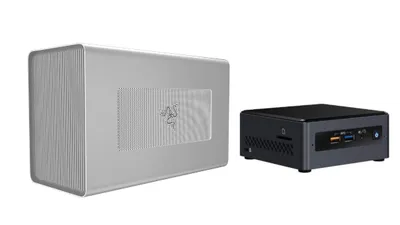
By contrast, a desktop PC can’t become a laptop. Some desktops—such as stick PCs or Intel NUC—can be carried around, but power requirements and the need for a mobile display make them far less convenient than a laptop. In practical terms, using a desktop PC as a laptop is effectively not possible.
Lower electricity costs
As mentioned in Watch out for electricity costs with desktop BTO PCs, a laptop typically uses about one-third the power of a desktop. If work requires high processing performance, choosing a desktop PC has advantages, but if the same tasks can be done on a laptop, using a laptop as a desktop setup is more economical in terms of both power consumption and overall cost.
This difference becomes especially noticeable for work PCs used for long hours, so when choosing a desktop PC, it’s worth considering electricity costs as part of the decision.
Reasons to Choose a Desktop PC Anyway
Higher performance
Laptops prioritize longer battery life, so power-saving design inevitably comes with trade-offs in processing performance.
Desktops, on the other hand, are under less pressure to maximize power efficiency, which makes it possible to build for higher performance. In particular, performance-related components like CPUs and GPUs face battery and chassis-size constraints in laptops, which limits how high-end they can be. With a desktop, increasing case size and power supply capacity makes it possible to build even “monster-class” systems—such as an AMD Ryzen Threadripper setup with up to 64 cores and 128 threads.
Better expandability
These days, laptops have become far more expandable thanks to ports like USB Type-C and Thunderbolt. Even so, they still come with more restrictions than desktops, where internal components can be directly accessed and replaced.
In particular, many modern thin-and-light laptops have CPUs and memory—and depending on the model, even storage—soldered directly to the motherboard, making user upgrades difficult or impossible.
With a desktop PC, components such as the CPU, memory, and storage (like an SSD) can be replaced (upgraded). And if the motherboard supports it, a GPU can be added later to turn the system into a gaming PC.
The benefits of using a laptop as a desktop instead of buying a desktop PC have been covered.
Desktops have their own strengths, so it can’t be said across the board that “using a laptop as a desktop is always better.” In particular, for video editing or gaming, a desktop can be more comfortable than a laptop.
The best choice is the one that matches the intended use. Before buying a desktop PC, it may help to consider whether “the same tasks could be done by using a laptop as a desktop setup.”