Power (Performance)
In the past, a “gaming laptop” was basically “a laptop that can run PC games,” and if the goal was serious PC gaming, a gaming desktop PC that could run a high-end CPU and GPU was really the only choice.
More recently, as demand for gaming PCs has grown, some gaming laptops have reached performance levels that are close to desktop-class machines.
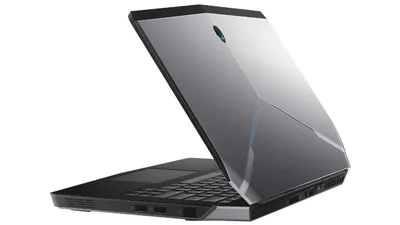
For example, Dell’s gaming PC Alienware Area-51m can be configured with a desktop CPU, and it comes with an “NVIDIA GeForce RTX 2070 (Mobile)” GPU that’s comparable to a desktop GeForce GTX 1660 Ti.
If the goal is GeForce GTX “x80-class” performance or higher (or flagship-tier GeForce RTX performance), a desktop is still the clear choice. But if “being able to play games normally” is good enough, choosing a dedicated gaming laptop can also make sense.
Upgradability
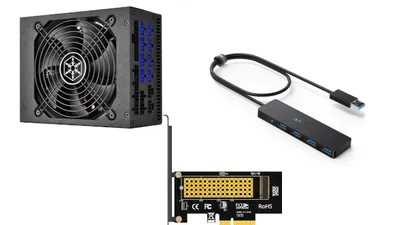
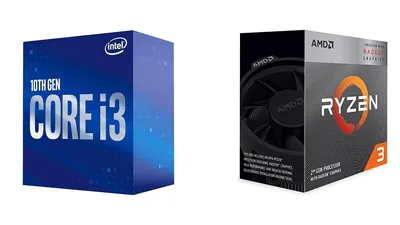
In terms of expandability, gaming desktops are naturally stronger. With a desktop, not only can the CPU, memory, and storage be upgraded, but the GPU—one of the most important parts for gaming—can also be replaced or added.
That said, many modern gaming laptops allow user upgrades for memory and storage. And with the arrival of Thunderbolt 3, more models now support external GPUs (eGPUs), so it’s not always accurate to say “gaming laptops have poor upgradability.”
Price
The base system price is generally lower for gaming desktops. For the same level of performance, desktops are often about 20–30% cheaper—and with a well-planned custom build, it may even be possible to build something similar for around half the cost.
Also, due to physical constraints, gaming laptops typically can’t fit truly top-tier GPUs such as the highest-end GeForce RTX models. So if “maximum performance above all else” is the priority, a gaming desktop is the only real option.
Lifespan and Extending Usability
Gaming PCs tend to be expensive, so it’s natural to want them to last as long as possible once purchased.
In terms of long lifespan—and the ability to extend that lifespan through upgrades—gaming desktops have the advantage.
By replacing the CPU, memory, storage, and GPU (assuming the motherboard supports the upgrades), a desktop can remain highly usable for a long time—often around 4–5 years as an active, capable PC. Even if all of those components are upgraded to the latest versions, the total cost often ends up lower than buying a new gaming laptop, making long-term running costs far more favorable.
With a desktop, replacing parts isn’t especially difficult, and with a bit of research, it’s something that most people can do themselves.
That said, it’s not that gaming laptops become useless in 2–3 years—some models from 4–5 years ago can still run the latest games well enough.
In other words, when buying a gaming laptop, it’s recommended to choose specs that will still be viable for around 4–5 years, even if it increases the upfront cost.
Portability
This is obvious, but gaming laptops win on portability.
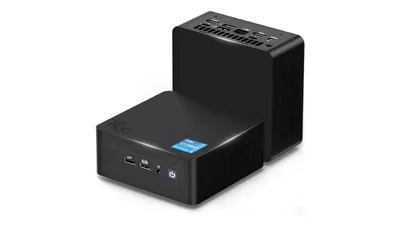
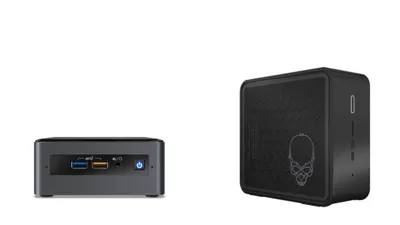
Even among compact desktop PCs that can support a GPU, high-end options like the “Intel NUC 9 Pro” exist—but for a similar price, it’s often possible to buy a reasonably capable gaming laptop. So if portability matters, a gaming laptop is usually the better choice.
Also, while gaming laptops are larger than typical laptops, they still take up far less space than a desktop setup with an external monitor, mouse, and other peripherals. For people living alone or working with limited space, a gaming laptop may be a better fit.
However, gaming laptops tend to be more expensive than desktop systems, and because the CPU and GPU usually can’t be upgraded, they may become outdated sooner. Before choosing one, it’s worth thinking carefully about whether portability is truly essential.
That covers whether a desktop or a laptop is better for a gaming PC.
Needless to say, if gaming is mainly done at a home desk, a gaming desktop PC is the best choice.
That said, the major advantages of gaming laptops—portability and space savings—are hard to ignore. Choose based on what matters most for the intended gaming PC setup.