Used Gaming PCs Are Now as Common as BTO and Custom Builds
Recently, used gaming PCs have become just as popular as new gaming PCs, build-to-order (BTO) systems, and custom-built PCs.
Lower prices compared to buying new—and the spread of online marketplaces like eBay—have reduced the psychological barrier to buying and selling used items, helping the overall market grow.
As a result, not only are there more gaming PCs circulating in the secondhand market than before, but a wider range is available as well, including relatively new models and used systems that are still in good condition. Buying a gaming PC used is not “bad”—it’s becoming a standard way to buy.
That said, for anyone who isn’t familiar with PCs, buying a used gaming PC requires even more caution than buying new.
Key Points When Buying a Used Gaming PC
The product’s release year
For example, even within Dell’s gaming brand “Alienware,” a 15-inch model called “Alienware 15” is completely different from the current “Alienware m15 Gaming” lineup.
| Item | ALIENWARE 15 | ALIENWARE m15 Gaming R3 |
|---|---|---|
| Release year | 2015 | 2020 |
| CPU | 4th Gen Intel Core i7-4710HQ | 10th Gen Intel Core i7-10750H |
| GPU | NVIDIA GeForce GTX 965M | NVIDIA GeForce GTX 1660 Ti 6GB GDDR6 |
Both use a Core i7 CPU and an NVIDIA GeForce GTX-series GPU, but the CPU is six generations apart. On the GPU side, the GTX 1660 Ti delivers roughly three times the performance of the GeForce GTX 965M—so these are essentially completely different PCs.
Be careful not to buy a used “Alienware 15,” feel happy about getting a bargain, and then realize it performs poorly.
The system specs
Gaming PCs are often configurable at the time of purchase, so it’s important to verify the exact specs.
For example:
- Is the CPU a Core i5 or a Core i7?
- Can the memory and storage be upgraded/replaced by the user?
- Is the GPU a higher-tier model?
The CPU and GPU matter most for a gaming PC, so make sure those two are checked carefully.
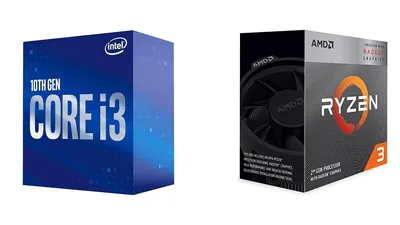
A Core i5 or above is generally fine for the CPU. On online marketplaces (including eBay), some sellers add only a GPU to a Core i3 or Celeron PC and sell it as a “gaming PC,” so be careful not to fall for that trap.
For NVIDIA GPUs, choosing a model with an “x60” or “x80” class GPU (instead of lower-tier “x50” or “x30” class GPUs) tends to deliver more satisfying performance even on a used PC.
Memory and storage standards
For current PCs, DDR4 is the main standard for memory, and M.2 is the main standard for storage. If possible, choosing a PC that supports “DDR4 for memory and M.2 for storage” will make it more usable for longer.
Older standards like DDR3 and SATA aren’t necessarily unusable, but since gaming PCs can be expensive even on the used market, it’s better to choose current standards if the plan is to use the system for several years.
Search by “Model name + Model number” and read older reviews carefully
Manufacturers like Dell may remove pages for older products because they want customers to buy the newest models.
When that happens, searching by model name alone makes it harder to quickly find details like:
- Which year the model is from
- How much performance differs from the current generation
In those cases, searching for “model name + model number” will almost always turn up detailed reviews on IT media sites or personal blogs. Read them carefully before buying to understand what the product really is.
Even when a good used gaming PC is found in a store and there’s an urge to “buy it now,” at minimum, quickly search on a phone using these two keywords:
- “model number + issues”
- “model number + failure”
Some models have a reputation for repeated problems, and it’s possible to end up buying an unexpected dud.
Be extra careful when buying on eBay
Misleading listings are common—for example, selling something as a “gaming PC” even though it uses a low-end CPU.
For example:
- A PC with a Core i7 from about 10 years ago, plus a GPU from a few years ago, sold as a “latest gaming PC”
- A used office desktop from a major manufacturer, with a low-end GPU added, sold as a “gaming PC”
- A PC where the full specs are unclear, but it’s listed as a “gaming PC” simply because it has a GPU
There are many tactics. They may not be outright lies, but many are misleading.
If it’s hard to judge the real performance level or how old the PC is based on the specs and description on the listing page, it’s safer to buy through a dedicated used PC retailer (such as Sofmap or Janpara in Japan) and ask staff for help.
Staff at used specialty retailers (as opposed to people whose job is selling internet plans) are often knowledgeable, and they can provide more reliable support.
That covers used gaming PCs and the key points to keep in mind when buying one.
There are many things that even beginners can do, so use this as a reference when considering a used gaming PC.